Adjustable noise cancellation
ANC reaches a stated depth of up to 45dB. The Tribit app provides adjustable levels and noise-control settings.
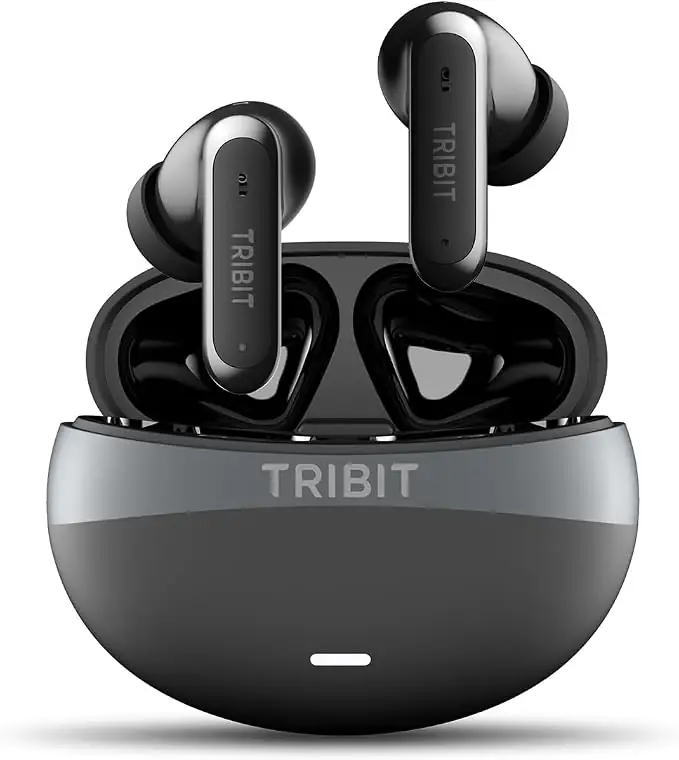
Wireless earbuds with active noise cancellation, six microphones and sound customization through the Tribit app.
ANC reaches a stated depth of up to 45dB. The Tribit app provides adjustable levels and noise-control settings.
Six microphones with AI noise reduction help separate your voice from background sound during calls and video meetings.
NdFeB drivers measuring 10mm work with XBass processing for music, movies and games.
Choose ten preset EQ modes or create a custom EQ in the Tribit app.
With ANC off, playback is up to 8 hours on one charge and 35 hours including the case. With ANC on, those figures are up to 5 and 22 hours.
Multipoint pairing lets you switch between connected devices such as a phone and laptop without reconnecting each time.
Each earbud weighs 4.0g. IP55 protection covers sweat and splashes; follow care instructions for the earbuds and case separately.
Enable Game Mode in the Tribit app. The stated latency is 50ms; the result depends on the device, connection and playback setup.
The app provides ten EQ presets, five manual ANC levels, three noise-control modes and three ANC scenes.
Choose among the supplied S/M/L ear tips and check the fit. Each earbud weighs 4.0g. IP55 protects against sweat and splashes; follow separate care instructions for the case. Compare ANC-on and ANC-off battery times, including the case total.
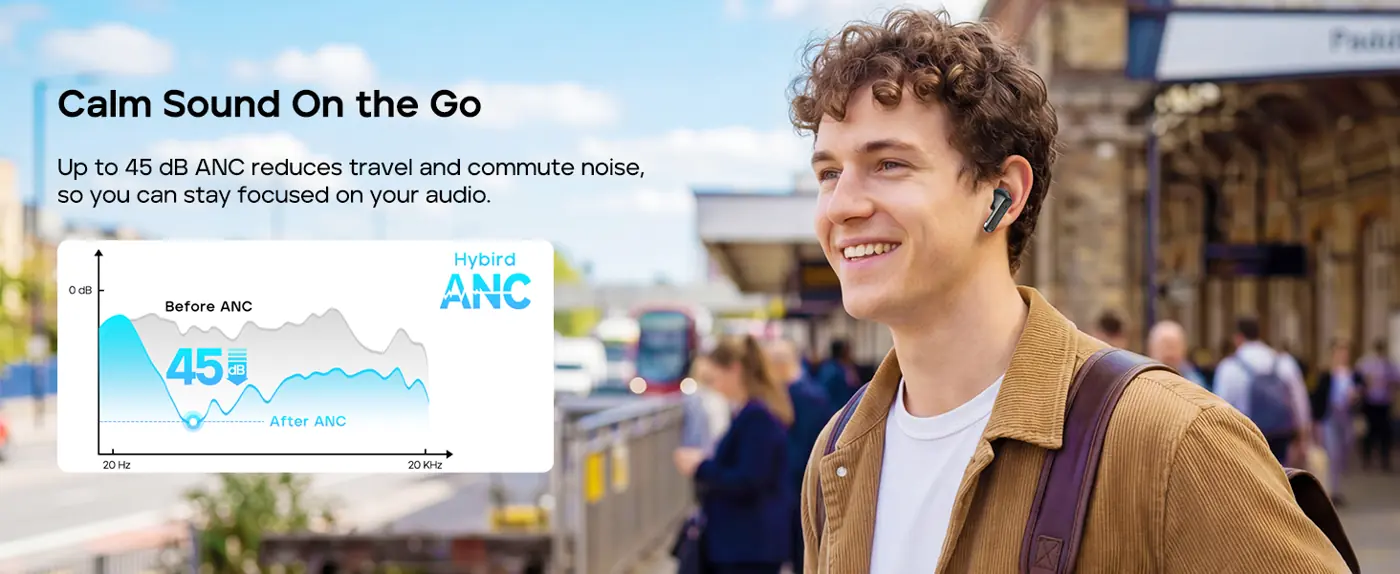
FlyBuds C3 uses hybrid active noise cancellation with a stated depth of up to 45 dB. Choose ear tips that fit and insert the earbuds securely; fit is part of achieving the intended noise-control performance.

Six microphones and AI noise reduction help separate your voice from surrounding sound during calls. This is a call-focused feature alongside the earbuds’ music-listening functions.
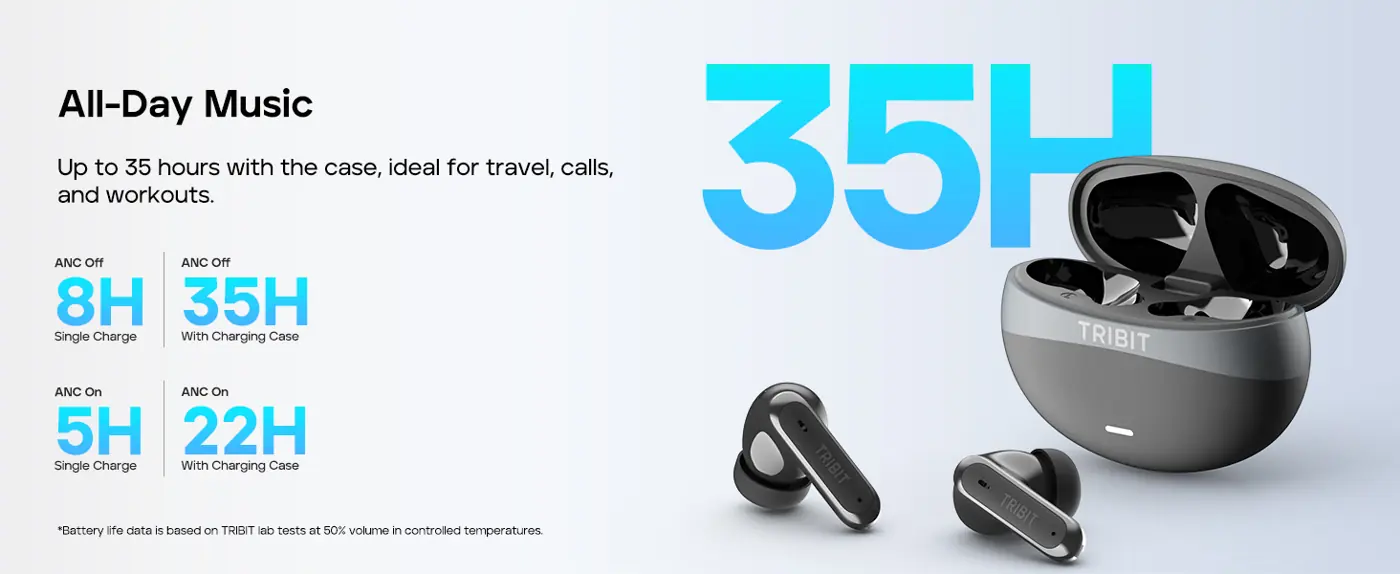
With ANC off, listening time is up to 8 hours per charge and 35 hours with the case. With ANC on, those figures are up to 5 and 22 hours. These battery figures are measured at 50% volume in controlled temperatures; actual use varies.
| Color | Black |
|---|---|
| Ear Placement | In Ear |
| Form Factor | In Ear |
| Noise Control | Active Noise Cancellation |
| Model Number | BTH101 |
| Model Name | FlyBuds C3 |
| Built-In Media | Cable, Charging Case, Ear Cushions, Earplugs, User Manual |
| Control Method | Touch |
| Audio Driver Type | Dynamic Driver |
| Audio Driver Size | 10 millimeters |
| Headphone Jack | No Jack |
| Connectivity Technology | Wireless |
| Bluetooth Version | 6 |
| Input-Device Interface | Bluetooth |
| Headphones Ear Placement | In Ear |
| Headphone Folding Features | In Ear |
| Item Weight | 37.3 g |
| Weight per earbud | 4.0g |
| Protection rating | IP55 |
| Package contents | Earbuds; charging case; S/M/L ear tips; USB-C cable; manual |
Place the earbuds in the charging case and keep the lid open. Press and hold the button for 2 seconds until the white light flashes. The earbuds can then be discovered and connected.
Turn it on in the app or press and hold the right earbud. For better noise cancellation, choose the right-sized ear tips and insert the earbuds firmly into your ear canal.
Open [Equalizer] in the app to set the EQ and create a new custom EQ.
Place the earbuds in the charging case and close the lid. A flashing white light indicates that the earbuds are charging. The white light turns off when they are fully charged.
When opening or closing the charging case lid, an orange light indicates that the battery level is below 10% and the case should be charged promptly. A white light indicates that the battery level is above 10%.
On first use, opening the case enters pairing mode. Hold the case pairing button for 2 seconds to enter pairing mode again, or for 5 seconds to restore factory settings.
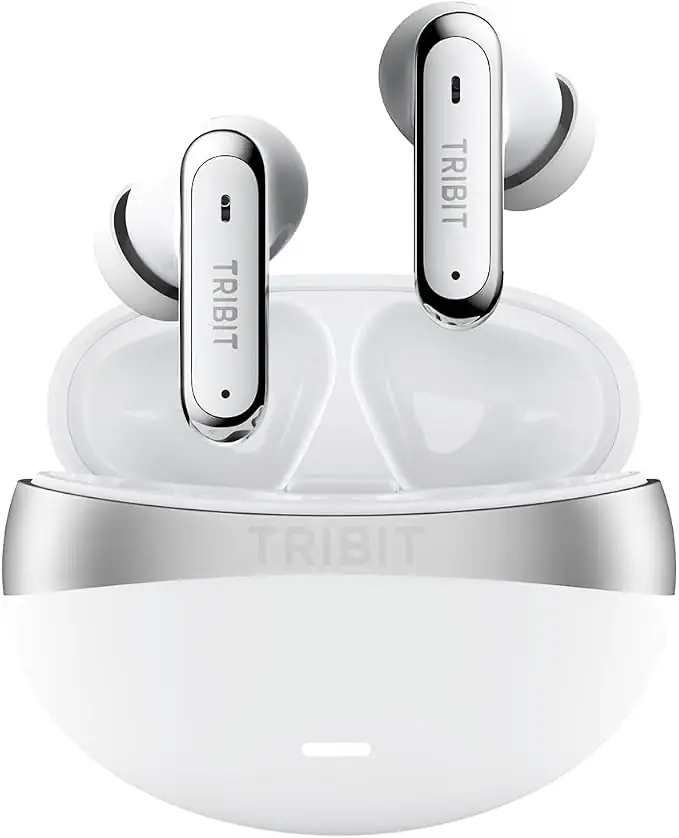
ANC reaches a stated depth of up to 45dB. The Tribit app provides adjustable levels and noise-control settings.
Six microphones with AI noise reduction help separate your voice from background sound during calls and video meetings.
NdFeB drivers measuring 10mm work with XBass processing for music, movies and games.
Choose ten preset EQ modes or create a custom EQ in the Tribit app.
With ANC off, playback is up to 8 hours on one charge and 35 hours including the case. With ANC on, those figures are up to 5 and 22 hours.
Multipoint pairing lets you switch between connected devices such as a phone and laptop without reconnecting each time.
Each earbud weighs 4.0g. IP55 protection covers sweat and splashes; follow care instructions for the earbuds and case separately.
Enable Game Mode in the Tribit app. The stated latency is 50ms; the result depends on the device, connection and playback setup.
The app provides ten EQ presets, five manual ANC levels, three noise-control modes and three ANC scenes.
Choose among the supplied S/M/L ear tips and check the fit. Each earbud weighs 4.0g. IP55 protects against sweat and splashes; follow separate care instructions for the case. Compare ANC-on and ANC-off battery times, including the case total.

Hybrid ANC has a stated depth of up to 45dB. The app provides adjustable levels and scenes; ear-tip fit also matters to the listening experience.

Six microphones and AI noise reduction help separate speech from surrounding sound. This call-focused function works alongside the earbuds’ listening noise controls.

With ANC off, playback is up to 8 hours on the earbuds and 35 hours including the case. With ANC on, the figures are up to 5 and 22 hours, tested at 50% volume.
| Color | White |
|---|---|
| Ear Placement | In Ear |
| Form Factor | In Ear |
| Noise Control | Active Noise Cancellation |
| Model Number | BTH101 |
| Model Name | FlyBuds C3 |
| Built-In Media | Ear Cushions |
| Item Weight | 37.3 g |
| Audio Driver Type | Dynamic Driver |
| Audio Driver Size | 10 millimeters |
| Connectivity Technology | Wireless |
| Bluetooth Version | 6 |
| Input-Device Interface | Bluetooth |
| Headphones Ear Placement | In Ear |
| Headphone Folding Features | In Ear |
| Control Method | App |
| Weight per earbud | 4.0g |
| Protection rating | IP55 |
| Package contents | Earbuds; charging case; S/M/L ear tips; USB-C cable; manual |
| Battery test conditions | 50% volume under normal-temperature laboratory conditions |
Place the earbuds in the charging case and keep the lid open. Press and hold the button for 2 seconds until the white light flashes. The earbuds can then be discovered and connected.
Turn it on in the app or press and hold the right earbud. For better noise cancellation, choose the right-sized ear tips and insert the earbuds firmly into your ear canal.
Open [Equalizer] in the app to set the EQ and create a new custom EQ.
Place the earbuds in the charging case and close the lid. A flashing white light indicates that the earbuds are charging. The white light turns off when they are fully charged.
When opening or closing the charging case lid, an orange light indicates that the battery level is below 10% and the case should be charged promptly. A white light indicates that the battery level is above 10%.
On first use, opening the case enters pairing mode. Hold the case pairing button for 2 seconds to enter pairing mode again, or for 5 seconds to restore factory settings.

App-compatible wireless earbuds with up to 7 hours per charge, a charging case and touch controls. This model uses the BTH92SC hardware.
$37.99View Product →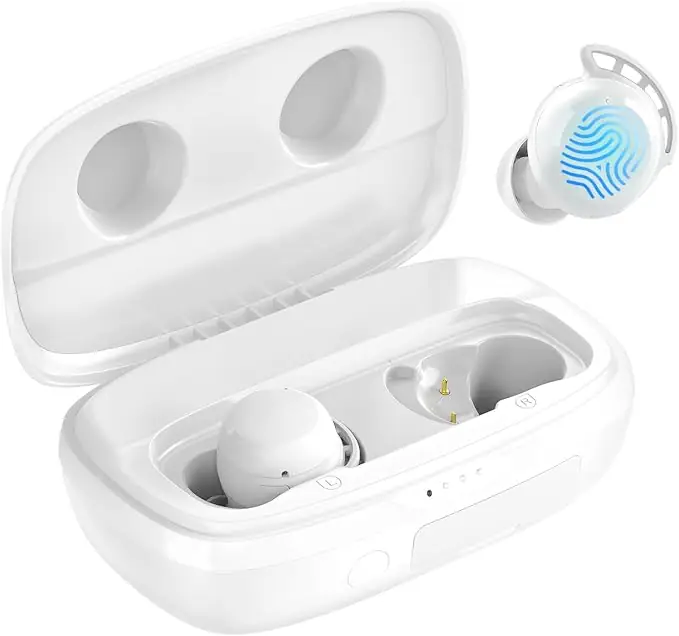
White BTH92 wireless earbuds with Bluetooth 5.3, three ear-tip sizes and up to 110 hours of combined listening with the charging case.
$39.99View Product →